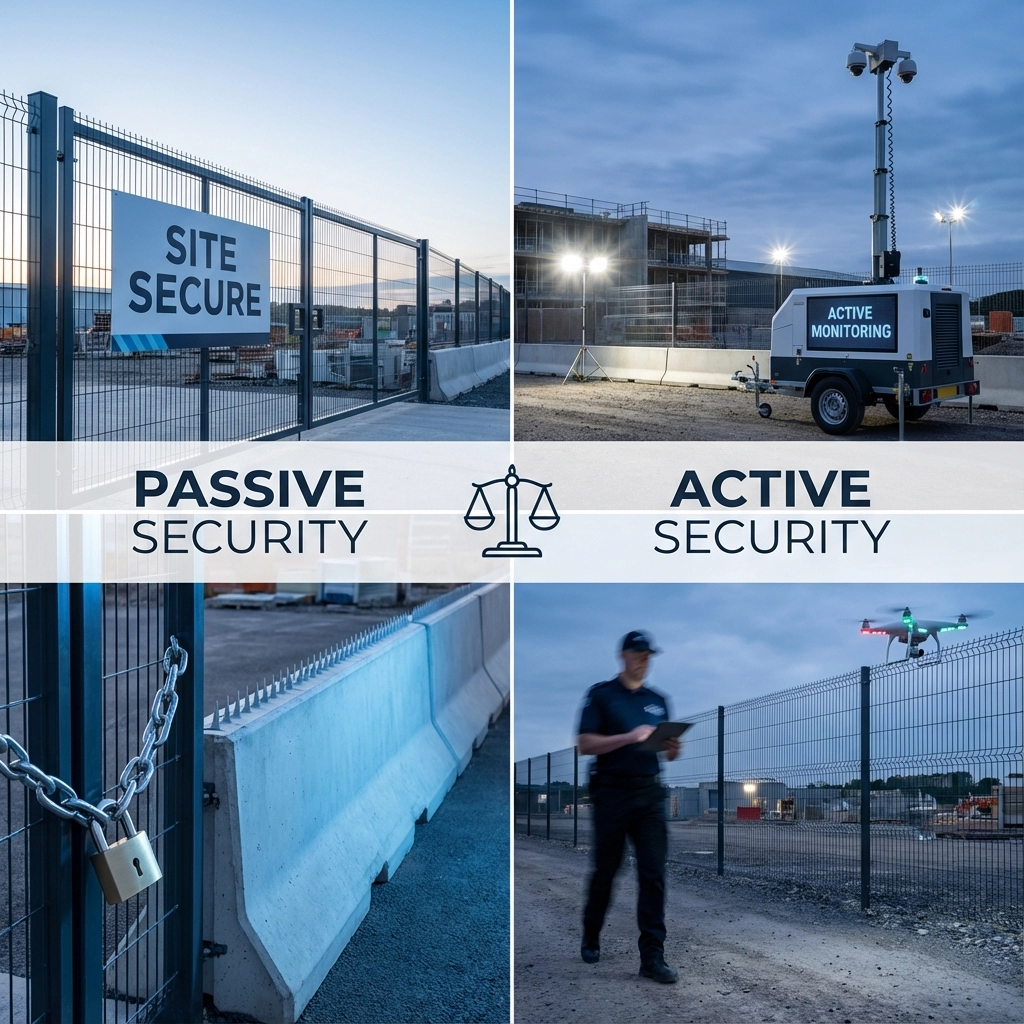
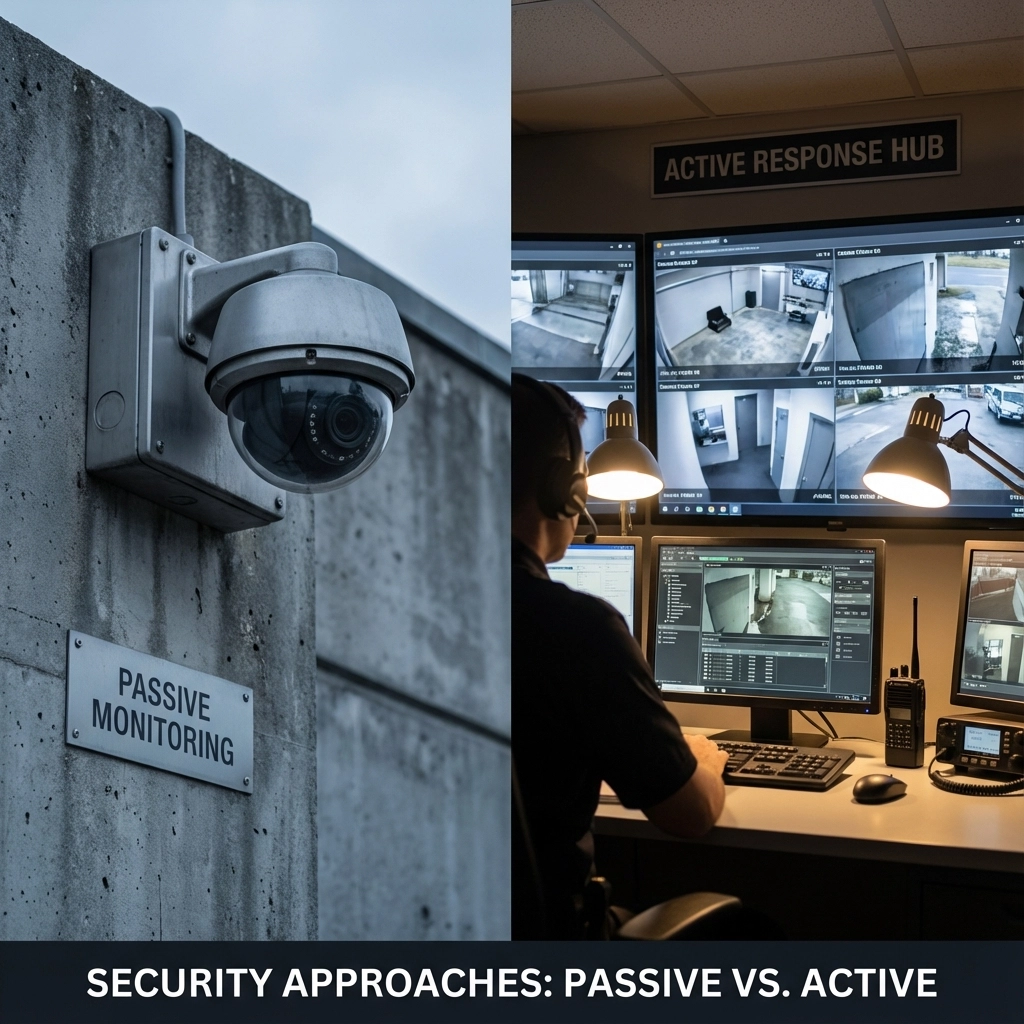
When securing a project site, you're basically choosing between two approaches: systems that watch and record everything (passive), or systems that actively monitor and respond in real-time (active). Passive security systems focus on continuous recording and documentation, while active systems provide immediate threat detection and intervention.
For most project managers, the choice comes down to budget versus immediate response capability. Let's break down what each system actually does and when you'd want one over the other.
Updated: December 2025
At-a-glance data:
- Industry estimates place construction theft losses at roughly $300M–$1B annually; heavy equipment recovery rates are often below 25% (see citations). Figures vary by market.
- Industry reports indicate remote video monitoring can reduce trespass and theft incidents and may achieve payback in 3–9 months on some high-risk sites. Actual results vary by site; passive systems primarily support documentation and claims.
- Remote monitoring can reduce reliance on on-site guards in some programs (ranges of 30–60% are cited in industry examples). These are not guarantees for Digital Security Guard; request a site-specific assessment.
Table of contents:
- What Are Passive Security Systems?
- What Are Active Security Systems?
- Direct Comparison: Passive vs Active Security
- Costs, ROI, and Sample Budget Breakdown
- Case Studies: Before/After Outcomes
- Technology Stack Overview
- Compliance and Insurance
- Decision Framework and Risk Matrix
- 5 Questions to Ask Before Choosing a Security System
- Common Security Mistakes on Project Sites
- Tech Trends Shaping Project Site Security
- Vendor Selection Guide
- FAQs
- About Digital Security Guard
- Get a Quote
What Are Passive Security Systems?
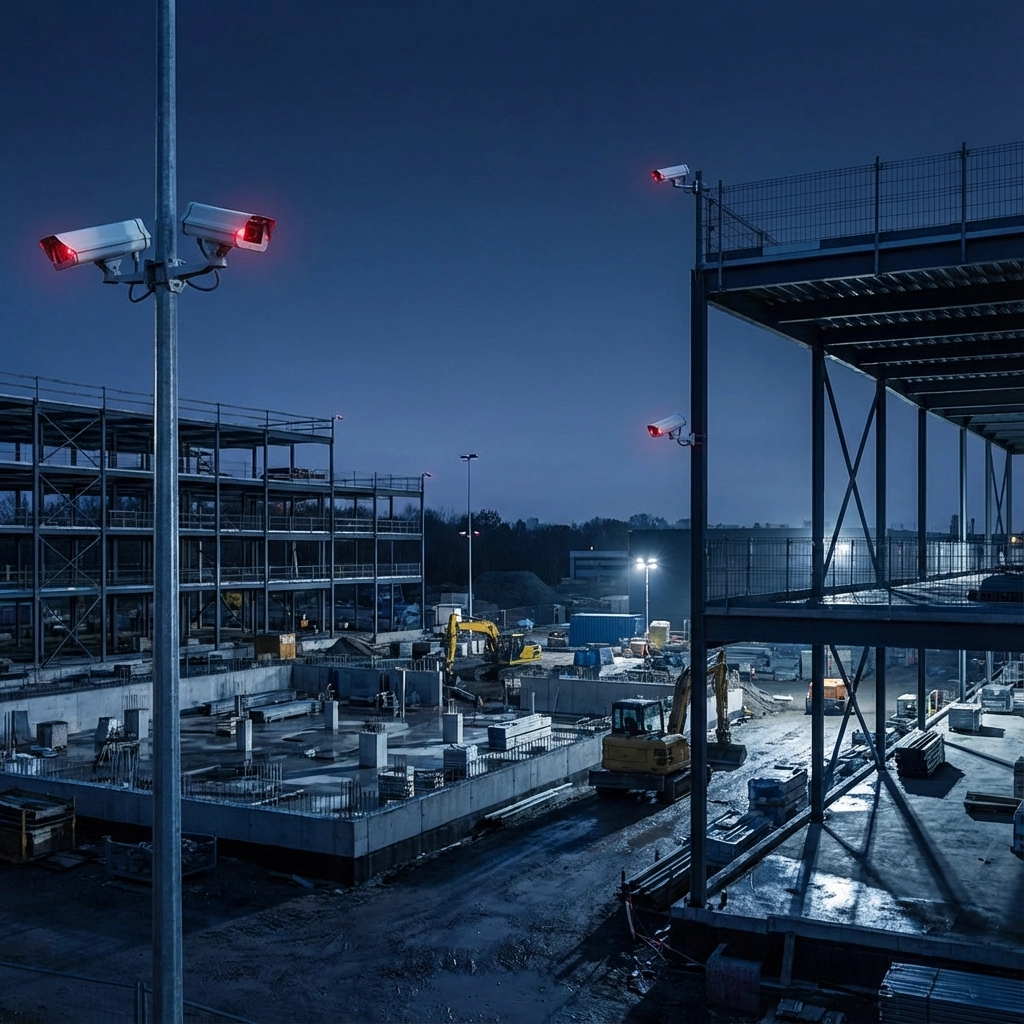
Passive security systems are the "set it and forget it" approach to site protection. These systems run 24/7, recording everything that happens without needing someone to actively watch the feeds.
Core Components:
• Fixed security cameras positioned at key entry points
• Motion sensors that trigger recording
• Time-lapse recording equipment
• Basic alarm systems that log incidents
• Automated backup systems for footage storage
The main thing to understand about passive systems is that they're reactive. They capture what happens, but they don't stop it from happening. Think of them as your site's memory bank – everything gets recorded for later review.
Key Advantages of Passive Security:
Cost-Effective Operation
Passive systems require minimal ongoing costs once installed. No monitoring fees, no 24/7 staffing costs, and relatively low maintenance requirements. For project sites with tight budgets, this is often the deciding factor.
Comprehensive Documentation
These systems capture everything – faces, license plates, timestamps, and detailed activity logs. This documentation becomes invaluable when filing insurance claims or working with law enforcement after an incident.
Simple Installation and Maintenance
Passive systems don't require complex monitoring infrastructure or specialized training. Most systems can be set up quickly and require minimal technical support.
Continuous Coverage
Recording happens around the clock, whether someone's watching or not. You won't miss incidents that occur during off-hours or when staff isn't available to monitor feeds.
Limitations to Consider:
The biggest downside is timing. By the time you discover an incident through passive monitoring, the damage is already done. Equipment might be stolen, vandalism completed, or unauthorized access already occurred.
Check-in frequency can also be problematic. Some passive systems only alert you during scheduled reviews – daily, weekly, or even monthly. If something goes wrong with the system itself, you might not know until your next scheduled check.
What Are Active Security Systems?
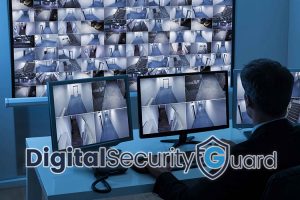
Active security systems involve real-time monitoring with immediate response capabilities. Someone (or something) is always watching, ready to act when threats are detected.
Core Components:
• Live monitoring stations with trained operators
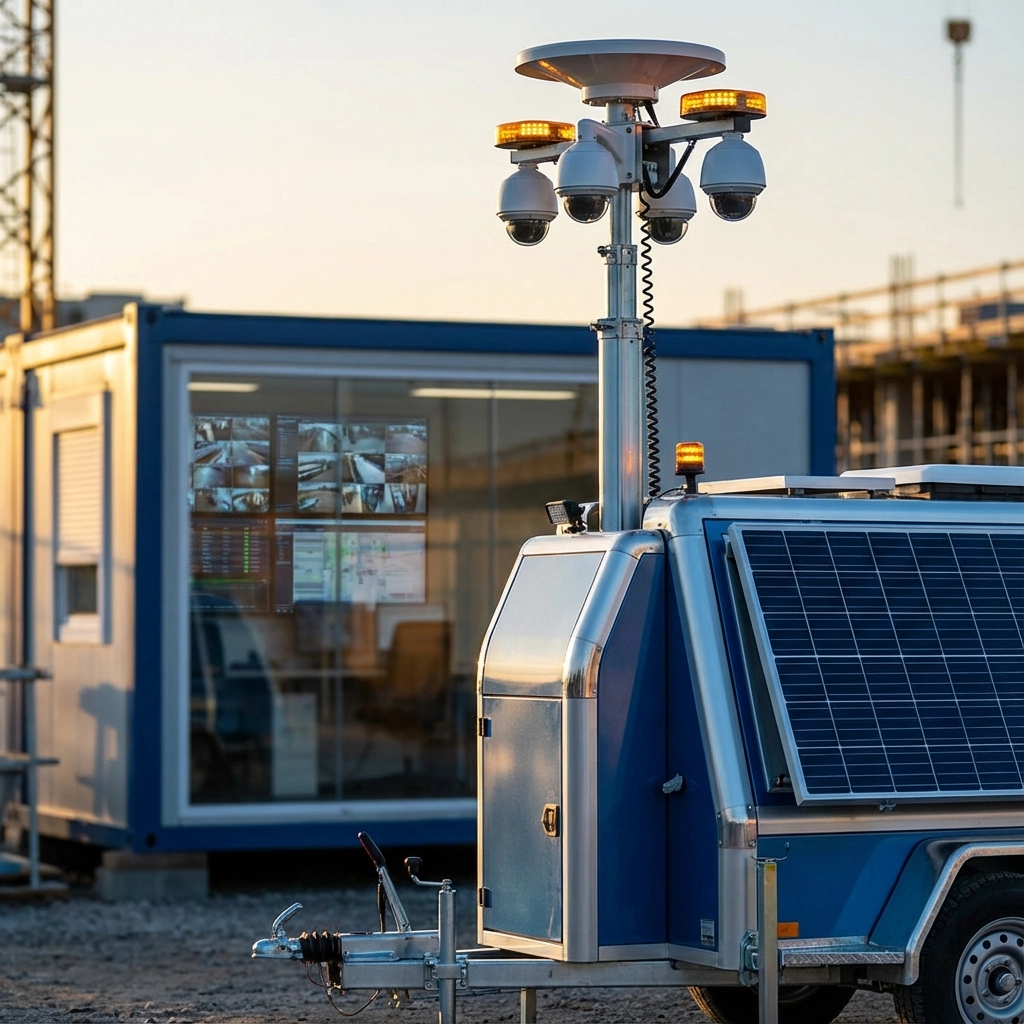
• Mobile surveillance units that can be repositioned
• Two-way communication systems
• Integrated alarm systems with immediate alerts
• Motion detection with instant notifications
• Remote-controlled lights and warning systems
Active systems are proactive. They're designed to catch problems as they happen and potentially stop them before damage occurs.
Key Advantages of Active Security:
Real-Time Intervention
When someone breaks into your site, active monitoring catches it immediately. Security personnel can contact authorities, activate deterrents, or communicate directly with intruders through speaker systems.
Crime Prevention and Deterrence
Visible active monitoring equipment, combined with immediate responses to detected activity, often prevents crimes from occurring in the first place. Thieves typically move on when they realize they're being actively watched.
Immediate Communication Capability
Two-way communication systems let monitoring personnel talk directly to people on-site. This can defuse situations, provide instructions to authorized personnel, or warn off potential intruders without physical confrontation.
Mobile and Flexible Coverage
Mobile surveillance units can be repositioned based on changing site conditions, high-risk periods, or specific threat intelligence. This flexibility is particularly valuable for large project sites.
Rapid Response Coordination
When incidents occur, monitoring personnel can provide real-time information to responding authorities – exact locations, number of intruders, their current activities, and exit routes.
Limitations to Consider:
Cost is the primary barrier. Active monitoring requires ongoing staffing costs, more sophisticated equipment, and higher storage requirements for real-time data processing.
The systems are also more complex, requiring proper training for personnel and more potential points of failure. Human error becomes a factor – monitoring staff must properly arm systems and respond appropriately to alerts.
Direct Comparison: Passive vs Active Security
Note: The following cost and ROI figures are industry-wide estimates for planning. They are not quotes for Digital Security Guard services. Request a custom proposal for site-specific pricing and ROI expectations.
| Dimension | Passive (Record/Review) | Active (Live Remote Monitoring) |
|---|---|---|
| Response Time | After-the-fact review | Immediate detection and intervention |
| Typical Setup Cost | $2,500–$12,000 per site (industry-average hardware/install for 8–24 cameras, NVR, PoE/network, storage) | $4,000–$18,000 per site (industry-average smart cameras, audio, strobes, speaker horns, analytics) |
| Operational Cost | $0–$150/mo (typical software/cloud backups) | $400–$2,500/mo per site for 24/7 monitoring (industry range); hybrid with on-site guards scales by hours |
| ROI Timeframe | Indirect ROI via documentation and insurance support; difficult to quantify | 3–9 months in some industry-reported scenarios; varies widely and is not guaranteed |
| Required Infrastructure | Power, local storage (NVR/DVR), basic network | Power, dependable internet/cellular, audio path, sirens/strobes, monitoring portal |
| Best Use Cases | Proof for claims, safety audits, low-risk areas | Theft deterrence, high-value laydown yards, multi-access sites, after-hours activity |
| Risk Coverage | Good for liability review | Strong for crime prevention and first-response coordination |
| Staffing Dependence | Minimal | Requires trained monitoring center or vendor SLA |
Which System Works Best for Project Sites?
Choose Passive Security When:
Your project site has limited security budget but needs comprehensive documentation for insurance and liability purposes. Passive systems work well for established construction sites with controlled access points and predictable activity patterns.
Passive security makes sense if your primary concern is proving what happened after an incident rather than preventing it in real-time. This is common for sites in lower-risk areas or projects where equipment value doesn't justify active monitoring costs.
Choose Active Security When:
Your site contains high-value equipment, materials, or infrastructure that can't be easily replaced mid-project. Active monitoring becomes essential when theft or vandalism would cause significant project delays or cost overruns.
Large outdoor project sites with multiple access points benefit from active security's mobile coverage and real-time response capabilities. Sites in high-crime areas or locations with previous security incidents typically require active monitoring to prevent recurring problems.
The Hybrid Approach:
Many successful project sites combine both systems strategically. Use active monitoring for high-value equipment storage areas, main entry points, and critical infrastructure. Deploy passive systems for general site documentation, perimeter monitoring, and areas where comprehensive recording is more important than immediate response.
This hybrid approach provides both immediate threat response and complete incident documentation while managing costs more effectively than full active monitoring coverage.
Factors Beyond Security System Type
Site-Specific Considerations:
Project duration affects system selection. Short-term projects might favor portable active monitoring, while long-term sites can justify more extensive passive infrastructure.
Geographic location matters significantly. Remote sites with poor cellular coverage might struggle with real-time active monitoring, making passive systems more reliable.
Integration with Existing Security:
Consider how new security systems integrate with existing site safety protocols, access control systems, and emergency response procedures. The best security system is one that works seamlessly with your current operations.
Getting Professional Security Assessment
Every project site has unique risks based on location, schedule, access points, crew size, and asset value. Digital Security Guard provides no-obligation assessments and site plans that align controls to risk and budget.
What you get:
- Threat profile and coverage map
- Camera layout, storage plan, and monitoring schedule
- Code and policy checklist (OSHA, signage, lighting)
- Itemized costs with ROI scenarios (illustrative, not guarantees)
Contact us:
- Start here: https://digitalsecurityguard.com/contact-us/
- Call 800.829.7459
- Visit 99 NW 11th St, Boca Raton, FL 33432
- Facebook (social): https://www.facebook.com/digitalsg/
Explore services:
- 24/7 Remote Video Monitoring: https://digitalsecurityguard.com/services/remote-monitoring/
- Hybrid Security Solutions: https://digitalsecurityguard.com/hybrid-security-solutions/
- Licensed Security Guards (South Florida): https://digitalsecurityguard.com/security-guards-south-florida/
We serve South Florida and beyond: Miami, Fort Lauderdale, West Palm Beach, Boca Raton, Tampa, Orlando, Jacksonville.
The choice between passive and active security isn't always either-or. The most effective project site security often combines both approaches strategically, providing comprehensive protection that matches your specific risk profile and budget constraints.
Costs, ROI, and Sample Budget Breakdown
Note: The figures below are general industry planning estimates and are not quotes for Digital Security Guard services. Actual pricing and ROI depend on site conditions, scope, and term. Request a custom proposal.
- Typical industry cost ranges (South Florida benchmarks; for planning only; ranges vary by site and vendor):
- Passive camera system (8–24 cameras, NVR, install): $2,500–$12,000 setup; $0–$150/mo storage/software.
- Active remote monitoring add-on: $400–$2,500/mo per site depending on hours, cameras, and event volume.
- On-site guard (licensed): $28–$55/hour in South Florida; 24/7 single post ≈ $20,000–$40,000/month.
- Hybrid model (guard nights/weekends + monitoring): can reduce guard-only spend; 30–60% reported in industry examples, but results vary.
- ROI drivers:
- Avoided theft/vandalism, schedule delay avoidance, lower insurance deductibles/premiums, reduced shrink.
- Payback: in some industry scenarios, 3–9 months for high-risk sites with active monitoring; passive ROI is primarily via documentation and claims support. Actual ROI varies and is not guaranteed.
- Sample budget (illustrative mid-size job, 6 months):
- Setup: $8,500 hardware + install
- Monitoring: $1,200/mo x 6 = $7,200
- Signage/lighting: $1,000
- Total: $16,700
- Assumption: one prevented theft event ($15k–$30k avg in industry sources) could offset most program cost; example only, not a guarantee. Figures are rounded.
Case Studies: Before/After Outcomes
Note: These are representative examples. Outcomes and percentages are approximate, site-specific, and not guarantees of future performance.
- Public works site, Miami-Dade County:
- Before: 3 after-hours trespass events per month; $12k copper loss in Q1.
- After active monitoring with audio challenge and strobes: 0 successful thefts in 5 months; one police contact; schedule maintained.
- Private multifamily build, Palm Beach County:
- Before: tool thefts and weekend dumping.
- After hybrid model (remote weekdays + guard weekends): incidents down ~70%; cleanup costs down ~80% on this project; results vary by site.
- Road project laydown yard, Broward County:
- Before: chain-link breaches; missing compactors.
- After: mobile trailer repositioned weekly; two thwarted attempts; recovered plate evidence used by insurer.
Technology Stack Overview
Cameras:
- Fixed dome/bullet, PTZ for wide areas, thermal for zero-light perimeters, LPR for gates.
Storage: - Local NVR/DVR (7–60 days), cloud or hybrid storage for redundancy and remote retrieval.
Remote viewing: - Vendor apps and web portals, multi-site dashboards, audit logs, push alerts.
AI features: - Human/vehicle detection, intrusion zones, line-crossing, object left/removed, loitering, LPR, audio analytics.
Deterrence: - Two-way audio talk-down, siren/strobes, programmable lighting scenes.
Compliance and Insurance
- OSHA: maintain adequate lighting, clear egress, and hazard communication; tie camera mounting and cabling to safe work practices.
- Surveillance laws: video is generally permissible on jobsites; audio recording may require one- or two-party consent depending on state (Florida is two-party consent). Post signage and consult counsel.
- Privacy: avoid recording restrooms, changing areas, and posted privacy zones.
- Insurance: many carriers offer credits for UL-listed monitoring or verified video; documented footage supports claims and subrogation.
References and summaries:
- NICB annual reports and NER equipment theft insights
- OSHA construction standards (29 CFR 1926)
Decision Framework and Risk Matrix
Quick checklist:
- High-value equipment/materials on site?
- Prior incidents or high-crime ZIP?
- Multiple uncontrolled access points?
- Night/weekend work or idle periods?
- Reliable power/internet available?
Scoring: - 0–2 yes: Passive baseline
- 3–4 yes: Hybrid
- 5 yes: Active 24/7
Risk matrix:
| Likelihood | Impact | Example | Control |
|---|---|---|---|
| Low | High | Perimeter graffiti | Passive + lighting |
| Medium | Medium | Tool theft from containers | Hybrid |
| High | High | Equipment theft/copper stripping | Active + law enforcement coordination |
5 Questions to Ask Before Choosing a Security System
- What are the top three loss scenarios we need to prevent?
- What coverage window do we actually need (days/hours)?
- What is our connectivity plan (broadband vs cellular failover)?
- How will alerts be verified and escalated 24/7?
- How will we retrieve and share evidence within 24 hours?
Common Security Mistakes on Project Sites
- No signage or deterrence devices
- Cameras placed too high/too few to identify faces/plates
- No lighting plan for camera fields of view
- Containers and fuel tanks outside coverage zones
- No service-level expectations with the monitoring vendor
Tech Trends Shaping Project Site Security
- AI video analytics reducing false alarms
- Solar/mobile trailers for remote sites
- LPR at temp gates for subcontractor tracking
- Cloud VMS with multi-tenant dashboards
- Integrated access + video for tool rooms
Vendor Selection Guide
Questions to ask:
- What is your average operator-to-site ratio?
- How fast are alarms verified and escalated (median seconds)?
- Do you provide audio talk-down and incident reports with clips?
- What is included in your SLA (uptime, response time, RMA)?
- How do you scale coverage as the site evolves?
Red flags:
- No written SLA
- Hidden fees for clip exports or false alarms
- Proprietary lock-in with no RTSP/ONVIF support
- No after-hours escalation tree
SLA tips:
- Define monitoring hours, verification steps, and law-enforcement call criteria.
- Require monthly performance reports and quarterly camera health checks.
FAQs
- Do I need internet? Active monitoring requires dependable connectivity. We provide cellular or satellite options when broadband is unavailable.
- How long should I store video? Most jobs store 30–60 days; consult insurance and contract requirements.
- Can we move the system to the next job? Yes. Design for portability with PoE and mobile trailers.
- Will this replace guards? Often it reduces guard hours. Many clients keep a hybrid model.
- How do I get a quote or site assessment? Visit https://digitalsecurityguard.com/contact-us/.
Testimonials
- "Our theft incidents dropped from weekly to zero within two months." — Project Superintendent, Broward County
- "The talk-down stopped intruders before damage." — Property Manager, Palm Beach County
About Digital Security Guard
We deliver:
- 24/7 remote video monitoring by trained operators
- Licensed security guards across South Florida
- Hybrid solutions for cost and coverage balance
- Construction, retail, and parking security
Experience:
- Hundreds of active monitored sites
- First-responder coordination and incident reporting
- Rapid deployment for remote projects
Get a Quote
- Contact Us: https://digitalsecurityguard.com/contact-us/
- Call 800.829.7459
- Request a site assessment: https://digitalsecurityguard.com/contact-us/
- Discuss hybrid options: https://digitalsecurityguard.com/contact-us/
- Request on-site guards: https://digitalsecurityguard.com/contact-us/
- Visit us: 99 NW 11th St, Boca Raton, FL 33432
- Facebook (social): https://www.facebook.com/digitalsg/
Citations and further reading
- National Insurance Crime Bureau (NICB) Annual Reports: https://www.nicb.org/annual-reports/
- National Equipment Register (NER) equipment theft insights (via NICB/industry summaries)
- OSHA Construction Standards (29 CFR 1926): https://www.osha.gov/laws-regs/regulations/standardnumber/1926
- Industry theft summaries: https://sentrypods.com/tracking-equipment-theft-on-u-s-construction-sites-real-statistics-state-insights/ and https://ecam.com/security-blog/construction-theft-data-you-need-to-know-about